Viewing Array Contents During Debugging in VS Code
til
vscode
debug
c++
After getting annoyed with adding a bunch of array indices to the watch list for a program that I was debugging, I went in search of a better solution. I came across an issue on the VS Code C/C++ Tools GitHub repo. Apparently, you can use the following pattern in the watch list instead
*(int(*)[10])some_pointerto see the contents of the array some_pointer of type int. Or, basically
*(<type>(*)[arrSize])arrNameEven better, you can use the following
*arrName@arrSizeHere’s a screenshot of doing it manually
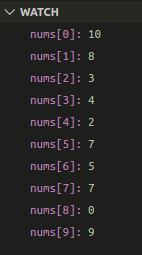
and here’s a screenshot of using the shortcut
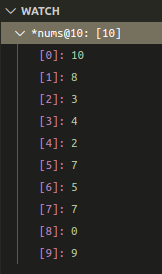
Much better.